Showing posts with label virus threat. Show all posts

PC threats from fake Antivirus

Wednesday, May 5, 2010 |


According to a reach Google made few days back that fake antivirus software are causing major security threat to PC. They uses black hat SEO to rank top in search engines like Google and Yahoo.

The Google team analyzed 11,000 sites and found 240 millions of fake antivirus applications, these websites contains popup which shows virus removal or some free virus protection services results in system failure. These fake antivirus applications cause 15 % of total malware attacks on PC which is dangerous for computer as well as data.

Its Victims are typically tempted to types of sites with the scams by clicking links to them in spam messages or in “poisoned” search results. Scammers are working to move their pages to the top position of search engine results pages for keywords tied to things like celebrity foibles and big breaking news, to the point that results for “trending topics” often includes many malicious results. In fact, 60 percent of the malware Google found on sites embedding popular keywords was designed to distribute fake antivirus applications.

According to study that Google made “The attackers also use online ads to try to distribute fake security program with the help of the sites of legal Web publishers”. These fake anti-virus scams are accountable for half of total malware delivered via ads, up fivefold from a last year.

If you ever witness such these pop-ups, you should never install it as it could be fatal. Scan your computer with security application from a trusted company. Even Microsoft offers free scans through its Windows Live safety scanner.

If you did pay, monitor your credit card account or change your number, as it’s now in questionable hands and can lead to any miss-happening.

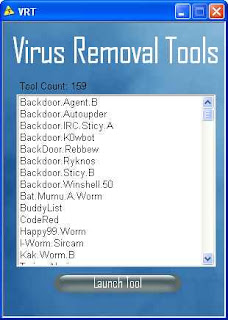
Most Expedient way for Virus Removal

Monday, March 15, 2010 |

virus removalIt is very much possible for your computer to be attacked by virus in today’s world. There are many mediums by which a virus could gain access to your computer. Mostly it is observed that virus gain access into your computer via internet. Internet is very essential for every user so it is not possible to avoid Internet. So it’s really very important for everyone to use internet safely in such a way that unwanted elements like virus and worms couldn’t make their way into computer. You can manually remove viruses from computer. Many procedures for effective virus removal are available online.

Features

Keeping viruses away from your computer is essential if you want to keep it working efficiently and avoid freeze and crashes. Virus removal is not a very complicated job to perform that occupies a lot of time, but there are few things you have to make sure. It is very essential for you to remove your computer from any network whenever you suspect a virus in your computer. Follow some basic instructions given below in order to remove virus from your computer manually.

  • Scan your computer through the antivirus software.
  • If you don’t have any antivirus software on your computer then download it from any source available online. There are many antivirus software available, such as AVG, McAfee, Norton etc.
  • To install the antivirus, go through readme file available with the software. Follow the instructions in given in the readme file.
  • After the completion of installation process of antivirus, keep on scanning your computer through antivirus until it removes all the viruses from your computer.
  • To download the latest updates available for antivirus, connect your computer to the Internet.
  • After completely updating the antivirus software, run it again to remove the virus from your computer.

Usability

There are many companies, which provide Antivirus Software. Every antivirus has its own special features and characteristics. Your choice for antivirus software depends upon the features you expect from antivirus software.

It is not possible for anyone to protect his computer from virus, spyware and malware through any single antivirus because there are some viruses, which are not detectible by antivirus software. So, I strongly recommend you to go for some technical support firms. These technical support firms assist you remotely via telephone and chat. Their Microsoft Certified technical specialist will remove all the viruses from your computer very fluently. Enjoy hassle-free unlimited technical support 24/7/365.

Virus Effects

Wednesday, March 10, 2010 |

Antivirus InstallComputer virus is a malicious application code that reduces work efficiency of your desktop PC. It is a software program that copies itself and infects a computer. Widely, computer virus is a common term used to represent other types of malwares, adware and spyware programs that cannot reproduce further.

There are different types of virus threat that might be detected easily, but there are viruses that are hidden in form of files. This makes the users unaware that their computer has been affected by viruses.

Some of the common types of virus are-

Boot sector viruses: This virus badly affects removal disks, diskettes and hard drive.Virus affects the Mater Boot Record present in floppy disk and inserting it causes severe infection to your Desktop PC. Inserting of infected floppy into hard drive causes infection to system as well.

Program viruses: This type of virus is referred as extensions of .BIN, .COM, .EXE, .OLV,.DRV. Opening of program file containing virus, activates the affect of virus infection. Activation of program virus causes reduplication of virus and infection to other programs atsystem.

Multipartite viruses: This virus infects the program files and boot records once the program is activated. As soon as you boot your system, all the local drives and application programs will be infected causing system breakdown.

Stealth viruses: It is not easily detected by any antivirus security software. The virus hides in a very unique manner, such as hiding himself in memory or modifying its file size.

Polymorphic viruses: It has a capability of changing virus signature that is known as binary pattern. Known for its multiplying and hiding capability, it is not easily detected by any antivirus security program.

The hazardous affects of computer virus are mentioned below-

1. It causes slow working of system.
2. The probability of freezing and halting of desktop screen increase.
3. It often restarts itself.
4. It displays some uncommon error messages, dialog boxes and distorted menu.
5. Improper working of application programs and incorrect document printing.

To prevent unnecessary virus attack at your system, install antivirus security software, such as McAfee Premium or AVG free version.